

You've got a room. Maybe a housemate just moved out, maybe you bought the house with the plan to rent one room and it's been sitting empty for three months. Either way, the room is there, and it'd be doing a lot more good with someone paying rent in it than gathering dust.
The obvious next step is listing it somewhere. And if you've ever tried Daft.ie as a landlord, you'll know that the moment your listing goes live, you tend to get buried in messages — a lot of them from people who clearly haven't read what you wrote, or who send the same copy-paste line to every room in the city.
Cohabi works a bit differently. Room list for completely free — always, no catches — and the only people who can actually contact you are seekers who've verified their phone number and bought a Seeker Pass to unlock your contact details. That's it. Fewer messages, but from people who've actually gone out of their way to reach you.
Here's exactly how to get your room up in about two minutes.
Key Takeaways
Listing a room on Cohabi is completely free for landlords(Hosts) — no charges, no commission, no subscription, ever.
The listing process is five steps — location, price and details, amenities, photos, then review and post.
Your phone number stays hidden from the public. Only verified seekers who have purchased a Seeker Pass can unlock your contact details
Good photos and an honest description make a significant difference to the quality of enquiries you get.
Your listing stays live and visible to all browsers, but your contact details stay private until a verified seeker unlocks them.
First, create your account
Head to cohabi.eu and sign up. You can use Google Sign-In or your phone number directly — either way, phone verification is required for everyone, landlord / provider (Host) or seeker. It takes about thirty seconds.
Once you're in, select your role as a Room Provider. That's the host side of things. Then you're ready to go.
The five steps listing form — step by step
Step 1 — Location
Type your address into the search field and you'll get dropdown suggestions as you type. Select the correct one from the list.
This is what powers the distance filters and "near me" searches seekers use when browsing. If the pin lands wrong, you'll miss people who are specifically searching your area. Worth the extra second to confirm it.
Step 2 — Price & Details
This is the most detailed step, so worth going through each field:
Monthly Rent — required. Enter the monthly figure. Don't undercut the real number hoping it'll drive more clicks. Seekers filter by budget, so an accurate price puts you in front of the right people rather than just more people.
Security Deposit — optional. If you're taking one, put it in. Seekers appreciate knowing upfront.
Bills Included — a simple yes or no toggle. If bills are split separately, leave it off and mention the arrangement in your description instead.
Room Available From — optional but useful. If you've got a date in mind, add it. Seekers with time pressure will filter by this.
Property Type — House or Apartment. You need to select this before the room type options appear.
Room Type — Single, Double, Ensuite, or Studio. Selects after property type is set.
BER Rating — optional, but worth including if you know it. Increasingly something seekers are paying attention to with energy costs.
Gender Preference — Any, Male, or Female.
Occupancy — Single, Shared, or Any.
Description — this is the part most landlords rush and probably shouldn't. More on this below.

Step 3 — Amenities
Three sections here, all select pills:
Room Highlights — what makes the room itself stand out. Options include balcony, ensuite bathroom, built-in wardrobe, large windows, recently renovated, elevator access. Select whatever genuinely applies.
Distance from City Centre — under 1km, 1–3km, 3–5km, 5–10km, or over 10km. Seekers filter by this regularly, especially those working in city centres.
Preferred Tenant Lifestyle — who you'd ideally like in the room. Professional, student, retired, full time, part time, night shift, pet friendly, child friendly. None of this is binding, but it helps the right people self-select.
Shared Amenities — what's in the property. Wifi, TV, fridge, washing machine, bathroom, bins, parking, microwave, dryer. Select what's actually available and shared.
Nearby — what's in the area. Gym, bus stop, train station, LUAS stop, grocery shops, shopping centre, community centre. If you're a four-minute walk from a LUAS stop or a Lidl, tick it. These are things people genuinely make decisions based on.
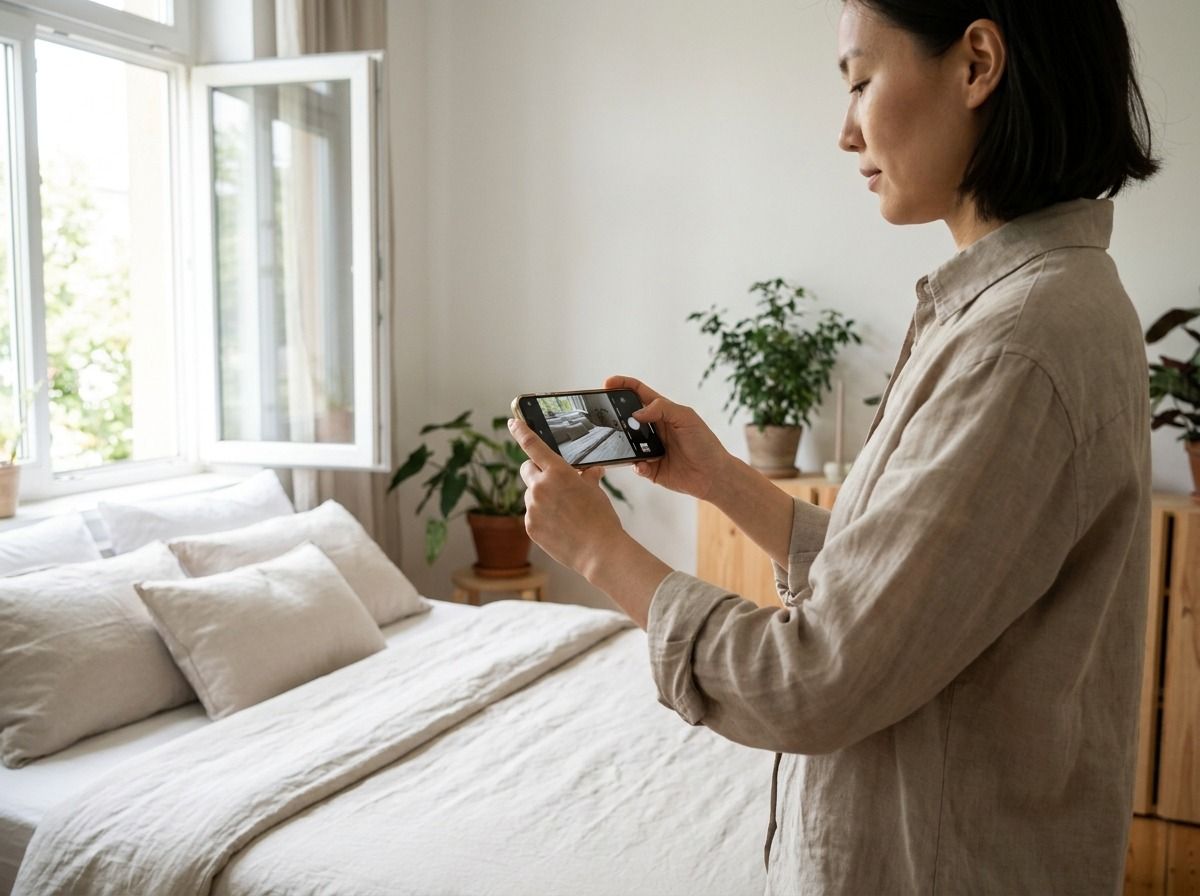
Step 4 — Photos
You can upload up to eight photos. Use them.
A listing with five or six clear photos will consistently do better than one with a single blurry shot taken from the doorway. Seekers are deciding where they're going to live — they want to picture themselves in the space before they reach out.
Things that make a real difference:
Open the blinds before you shoot. Natural light makes a room look bigger and cleaner than any editing can.
Make the bed and clear the surfaces first. Takes two minutes and photographs completely differently.
Shoot from the corner of the room, not the doorway — you get more of the space in frame.
Add at least one photo of the bathroom and one of the kitchen. People want to see the full picture.
Hold your phone sideways. Landscape every time.
You don't need a photographer or any special equipment. You just need decent light and a bit of patience.
Step 5 — Review & Post
Before anything goes live, you get a full summary screen showing everything you've entered — location, rent, deposit, bills, property type, room type, BER rating, gender preference, occupancy, highlights and amenities.
Check it. Fix anything that's off.
Then three consent checkboxes, all required:
Confirming this is a real listing.
Agreeing to Cohabi's Terms & Conditions, Terms of Use, and Privacy Policy.
Confirming you understand your contact details are only shared with verified, paying seekers.
Read them, tick them, hit post. Your room is live.
What happens after you publish
Your listing is now visible to everyone who visits Cohabi. Photos, price, room type, location, highlights — all of it shows up in search results and on the map.
What doesn't show up publicly is your phone number. That stays hidden behind the Seeker Pass paywall. A seeker browsing your listing sees a "Reveal Phone Number" button and a WhatsApp button, but those only activate once they've purchased a pass.
This is the part that's different from most Irish platforms. The seekers who actually contact you have gone through phone verification and paid to access your details. It doesn't mean every enquiry will be your ideal tenant, but it does mean you're not dealing with bots, copy-paste messages, or people who sent the same enquiry to sixty rooms without reading any of them.
Tips for a description that actually gets replies
The form prompts you for a description, and it's worth spending five minutes on it rather than ten seconds.
The listings that tend to do well are the ones that give someone a real sense of what living there is like — not just the square footage. Who else is in the house? What's the vibe? Is it quiet most evenings, or is it a sociable kind of place? Is parking included? Are bills split on top of rent?
You don't have to write an essay. Three or four honest paragraphs is plenty.
What doesn't help: vague lines like "lovely room, great location, must see." What does help: "Double room in a three-bed semi in Ranelagh, two professionals already living here, quiet during the week, bills split evenly, Luas stop a four-minute walk."
Specific is better than enthusiastic.
What about the Rent a Room Relief scheme?
If you're renting a room in your own home — not an investment property, but the house you actually live in — Revenue Ireland lets you earn up to €14,000 per year tax-free under the Rent a Room Relief scheme. That works out at roughly €1,166 a month before it becomes taxable.
Worth ten minutes on Revenue.ie if you haven't looked at it yet. It's one of the more straightforward tax reliefs available, and homeowners renting a spare room are exactly who it's designed for.
Right, go list the room
If you've been putting this off because you thought it'd be complicated or expensive, hopefully that clears it up. Five steps, completely free, and your contact details stay private until a verified seeker specifically unlocks them.
Have a look at check room listings in Ireland if you want to see how other landlords have written their listings — handy for getting a feel for the right tone and detail level before you write your own.
Otherwise, head to cohabi.eu, hit "Post a Room" and you'll be done before your tea goes cold.